
Financial Aid
Uploading Financial Documents to MyCWU
You can now upload Financial Aid documents to your “To Do List” from your MyCWU account Directly from your computer instead of waiting in line, and here’s how:
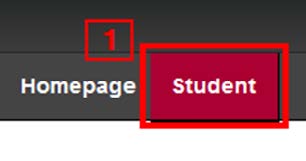
Step 1: Navigate to your "Student" tab on MyCWU:
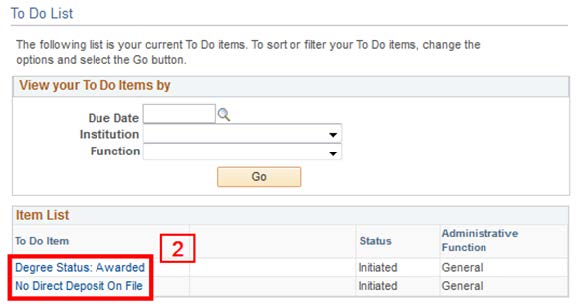
Step 2: Under your "To Do List" section, select one of the items on your list:
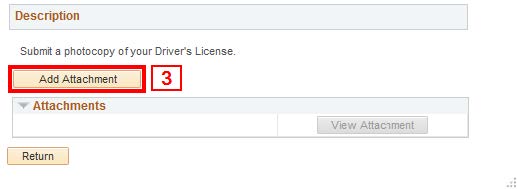
Step 3: A window will pop up with an "Add Attachment" button. Upload your documents.
CWU News

CWU to host nationally recognized conservationist tonight at The Ridge
May 11, 2026 by Marketing and Communications

Two CWU Nutrition students earn awards from leading national organization
May 11, 2026 by Rune Torgersen
Questions? Contact Us.
Financial Aid
Bouillon Hall 106